
Updated September 13, 2026
Open the official client, create an account with email and password, then make a first deposit of at least $10. On that deposit select POKER WELCOME150 in the cashier — that is how the 150% bonus up to $2,000 is activated. This guide uses the 2026 software, not the old app.
Step 1: Open CoinPoker
Use this link and download the 2026 client (desktop or mobile).
Step 2: Create an account
Enter email, password, confirm password. Code is optional. Click Get Started.

Step 3: Confirm email
Open the email from CoinPoker and confirm the account. Check Spam if it is not in the inbox.
Step 4: Open the cashier
In the lobby click the wallet / cashier icon.
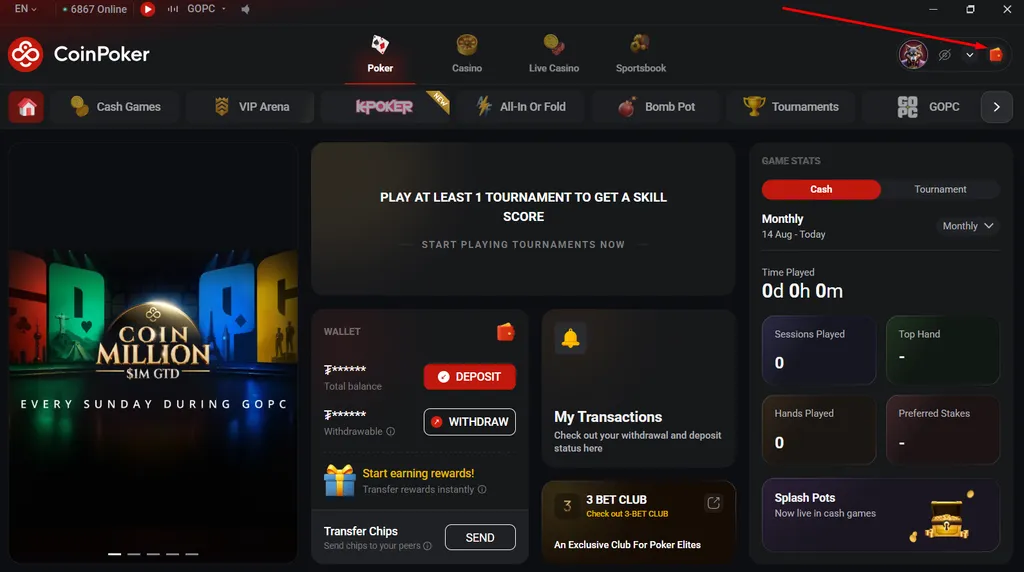
Step 5: First deposit and bonus
Deposit at least $10. In Select available bonus choose Poker Welcome Bonus: 150% up to $2000. Do not pick Casino Welcome Bonus and do not leave No Bonus.

Step 6: Play
Sit at a cash table or a tournament. The bonus clears as 10× the bonus in table fees within 30 days.
Full bonus terms: CoinPoker Review 2026.
18+. T&Cs apply. We may earn a commission if you register through this link.
Facebook Comments